Skip to content
88k88 Sports / Casino
LIVE LOBBY

88k88 — Cricket Markets, Casino Slots, Your Wallet Ready

Fund your account with bKash, Nagad or Rocket and move straight into cricket betting markets, live casino tables or slots from Joker, Habanero, CQ9 and PG Soft. Access depends on your local law and eligible region.

bKash Nagad Rocket
Browse games
CONTENT / 01

Games Visitors Open First on 88k88

A handful of titles get opened more than others. King Cricket Live draws the cricket-focused crowd — it is a live-format game built around the sport Bangladesh follows most closely, and it sits near the top of the lobby for that reason. Spice Bazaar Slots is one of the slot rooms we get asked about most, with a feature structure that suits both short sessions and longer play.

  • King Cricket Live

    A live-format game built around cricket, the sport Bangladesh follows most. Available in the live section of the lobby. Open it from your account once funded — no separate step needed.

  • Spice Bazaar Slots

    One of the slot rooms we get asked about most. Feature-heavy format that works for both short and longer sessions. Find it in the slots section of the lobby.

  • Crash Skyward

    The crash-format option for a faster game cycle. Straightforward to follow and available in the lobby alongside the standard slot and table options.

  • Teen Patti Night

    Live table format familiar to players across the region. Sits in the live casino section of the lobby next to Blackjack Ace and the other table options.

DISCOVER / 01

Choose your game

Full lobby
GAME NETWORK
Joker
Habanero
CQ9
PG Soft
CONTENT / 04

88k88 lobby studios

The 88k88 lobby carries content from Joker, Habanero, CQ9, PG Soft. To check the studio, rules or features of one specific game, open that game card or the published information panel.

  • Joker

  • Habanero

  • CQ9

  • PG Soft

LOCAL PAYMENTS

bKash, Nagad and Rocket — How Deposits Work Here

bKash is the primary deposit route on 88k88. Open the cashier from your account dashboard, select bKash, enter the amount and follow the confirmation steps shown on screen — the fields and any applicable limits are displayed at that point. Nagad works the same way and is listed as a separate option in the cashier.

  • bKash

    The primary deposit route. Open the cashier, choose bKash, enter your amount and complete the confirmation steps shown on screen. Limits and fields are displayed at the cashier stage. Your deposit history is visible in the account wallet section after each transaction, giving you a reference number for any follow-up.

  • Nagad

    Listed as a separate cashier option alongside bKash. The deposit flow follows the same steps — select Nagad, enter the amount, confirm. Transaction records appear in your account wallet the same way, and the reference number is available there if you need to contact support about a specific deposit.

  • Rocket

    Available as a third mobile wallet route for accounts where it is configured. Select Rocket in the cashier, follow the on-screen steps and check your wallet section for the transaction record. If Rocket does not appear in your cashier, your account region may not have it active — contact support to confirm availability.

  • Upay

    Configured for supported accounts as an additional local payment option. The deposit process mirrors the other wallet routes: open the cashier, select Upay, enter the amount and follow the confirmation fields. Check the wallet section of your account for the transaction status after completing the steps.

Banking
ACCOUNT PATH

From Registration to First Deposit in Four Steps

Getting from a new account to a funded wallet on 88k88 follows a short, linear path. Step one: open the registration page and fill in the required fields — email address, a password and your preferred currency. Step two: confirm your email using the link sent to your inbox; this activates the account.

  1. Create Account

    Open the registration page and complete the required fields: email, password and currency. Straightforward form, no documents needed at this stage.

  2. Confirm Email

    Check your inbox for the confirmation link and click it to activate the account. The link is sent immediately after registration.

  3. Choose Payment Route

    Go to the cashier in your account dashboard. Select bKash, Nagad, Rocket or Upay — whichever you use day to day. Limits are shown at this step.

  4. Fund and Play

    Enter the deposit amount, complete your wallet's confirmation steps and check the wallet section to see the updated balance before heading to the lobby.

MEMBER DESK / 06

Offers, support and account controls

01

Game lobby

02

Payment guide

03

Support

ACCOUNT DESK

Account information

Review current account information after signing in.

Login
CRICKET BETTING MARKETS

Sports Betting Starts with Cricket on 88k88

Cricket is the sports betting category Bangladesh follows most, and it is where our sportsbook is most active. IPL, BPL and international cricket fixtures appear in the sports section of the lobby when markets are open. To place a bet, go to the sports section from the main navigation, select cricket, choose a fixture and pick your market.

  • Sports Betting Starts with Cricket on 88k88

    Cricket is the sports betting category Bangladesh follows most, and it is where our sportsbook is most active.

  • IPL, BPL and international cricket fixtures appear in the sports section

    IPL, BPL and international cricket fixtures appear in the sports section of the lobby when markets are open.

  • To place a bet, go to the sports section from the main navigation, selec

    To place a bet, go to the sports section from the main navigation, select cricket, choose a fixture and pick your market.

ACCOUNT HELP ROUTES

How to Reach the 88k88 Support Team

If something is not working as expected — a deposit not reflecting, a login issue, a question about your account settings — the support team is reachable through the channels listed in the Help section of your account. The Help section is accessible from the account menu after you log in.

  • Live Chat

    Available from the Help section inside your account. The fastest route for deposit questions, account access issues and lobby queries. Have your account email and, for payment questions, the transaction reference from your wallet section ready before starting the chat.

  • Email Support

    Listed in the Help section for non-urgent account questions. Useful for detailed queries about account settings, payment routes or eligibility questions that need a written record. Response times depend on queue volume — check the Help section for current contact details.

  • Account Help Section

    The self-service starting point for most account questions. Password reset, payment history, account settings and information terms are all accessible here without contacting support. Open it from the account menu after logging in — it covers the most common account management tasks.

MOBILE ACCESS

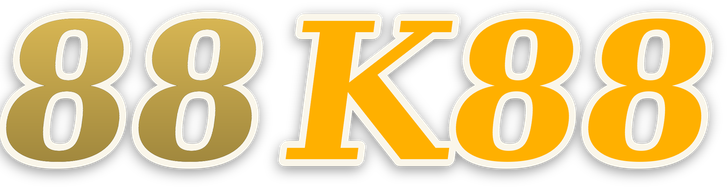
88k88 Runs in Your Mobile Browser Without a Download

The full lobby — slots, live casino tables and the sportsbook — loads in your mobile browser without a separate app download. Open 88k88 in Chrome or Safari on your phone, log in and the layout adjusts to your screen automatically. The cashier works the same way on mobile as on desktop: select bKash, Nagad or Rocket, enter the amount and confirm through your wallet app.

  • Browser-Based

    No download required. Open 88k88 in your mobile browser and the full lobby loads — slots, live tables and sportsbook. The layout adjusts to your screen size automatically, and the cashier works the same way as on desktop with bKash, Nagad and Rocket all available.

  • Home Screen Shortcut

    Add 88k88 to your phone's home screen from the browser share menu. It opens like an app without going through an app store, and you stay logged in between sessions if your browser is set to keep cookies. Works on both Android and iOS browsers.

  • Mobile Cashier

    The deposit flow on mobile mirrors desktop exactly. Select your payment route — bKash, Nagad, Rocket or Upay — enter the amount and confirm through your wallet app. The transaction reference appears in your account wallet section immediately after, accessible from the mobile account menu.
CONTENT / 03

88k88 Runs in Your Mobile Browser Without a Download

The full lobby — slots, live casino tables and the sportsbook — loads in your mobile browser without a separate app download. Open 88k88 in Chrome or Safari on your phone, log in and the layout adjusts to your screen automatically. The cashier works the same way on mobile as on desktop: select bKash, Nagad or Rocket, enter the amount and confirm through your wallet app.

  • Browser-Based

    No download required. Open 88k88 in your mobile browser and the full lobby loads — slots, live tables and sportsbook. The layout adjusts to your screen size automatically, and the cashier works the same way as on desktop with bKash, Nagad and Rocket all available.

  • Home Screen Shortcut

    Add 88k88 to your phone's home screen from the browser share menu. It opens like an app without going through an app store, and you stay logged in between sessions if your browser is set to keep cookies. Works on both Android and iOS browsers.

  • Mobile Cashier

    The deposit flow on mobile mirrors desktop exactly. Select your payment route — bKash, Nagad, Rocket or Upay — enter the amount and confirm through your wallet app. The transaction reference appears in your account wallet section immediately after, accessible from the mobile account menu.

TRUST / 03

Spending Controls and Account Settings on 88k88

Your account settings include controls that let you manage how you use the platform. The options available depend on your account region and what is configured for your account type — the settings section inside your account shows what applies to you. If you want to set a personal limit on how much you deposit in a given period, the relevant fields are in the account settings area.

  • Account Settings

    Your account settings page is the central place for personal controls. Deposit preferences, notification settings and account status options are all listed there. Open it from the account menu after logging in. What you see depends on your account region and the options configured for your account type.

  • Wallet History

    Every deposit and withdrawal on your account is recorded in the wallet section with a timestamp and reference number. You can review your transaction history at any time after logging in. The reference number is what you need if you contact support about a specific transaction — it is visible on each line of the history.

  • Support Access

    The Help section inside your account lists the current contact routes for the support team. For account control questions, payment queries or access issues, this is the starting point. Have your account email ready and, for payment questions, the transaction reference from your wallet history.

  • Regional Eligibility

    Access to 88k88 and its features depends on your local law and eligible region. The platform does not override local legal requirements. If a feature or payment route is not visible in your account, it may not be available for your region — the support team can confirm what applies to your account.

Learn more →
PLAYER INDEX / 07

Common Questions About Funding Your 88k88 Account

The questions below cover the payment routes, deposit process and account wallet on 88k88. If your question is not here, the Help section inside your account has additional guidance, and the support team can answer account-specific questions directly.

Player guide and glossary
  • Which payment methods can I use to deposit on 88k88?

    bKash, Nagad, Rocket and Upay are the configured local payment routes on 88k88. All four are mobile wallet options that do not require a bank card. The cashier inside your account shows which routes are active for your account region — if one does not appear, it may not be available for your region. Contact support to confirm.

  • How do I make a deposit using bKash?

    Log in, open the cashier from your account dashboard and select bKash. Enter the deposit amount — the cashier shows the applicable limits at this step. Follow the confirmation fields on screen, which will prompt you to complete the transaction through your bKash app or number. Once done, check the wallet section of your account to confirm the balance has updated.

  • What do I do if my bKash deposit is not showing in my account?

    Go to the wallet section of your account and check the transaction status there. A pending deposit will show a reference number. If the status has not updated after a reasonable wait, contact the support team through the Help section and provide that reference number — it is the key detail needed to investigate the transaction with the payment provider.

  • Can I use Nagad instead of bKash for deposits?

    Yes. Nagad is listed as a separate option in the cashier alongside bKash. The deposit steps are the same: select Nagad, enter the amount, follow the on-screen confirmation. Your Nagad transaction history appears in the account wallet section the same way as bKash deposits. If Nagad is not visible in your cashier, contact support to check availability for your account.

  • Is Rocket available as a deposit option?

    Rocket is configured as a third mobile wallet route on 88k88. Select it in the cashier, follow the confirmation steps and check your wallet section for the transaction record. Availability depends on your account region — if it does not appear in your cashier, the support team can confirm whether it is active for your account type.

  • Where can I see my deposit and withdrawal history?

    Your full transaction history is in the wallet section of your account, accessible from the account menu after logging in. Each entry shows the payment route used, the amount, a timestamp and a reference number. This is the reference number to quote if you contact support about a specific transaction.

  • How do I set a personal deposit control on my account?

    Open the account settings page from the account menu. The options available for spending controls depend on your account region and configuration — the settings page shows what applies to your account. Changes take effect according to the rules shown on screen at the point you make the change. For questions about what controls are available, the support team can clarify.

Full glossary
LOBBY / 02

One mobile lobby, distinct game areas

King Cricket Live Sports King Cricket Live Access → Blackjack Ace Live Blackjack Ace Access → Spice Bazaar Slots Slots Spice Bazaar Slots Access → Football SpeedBet Sports Football SpeedBet Access → Crash Skyward Slots Crash Skyward Access → Teen Patti Night Slots Teen Patti Night Access →
EXPLORE FURTHER / 04

Explore detailed guides

Local lobby check

QUICK ANSWERS

Frequently asked questions

These questions cover the game lobby, account registration, mobile access and studio availability on 88k88. For payment-specific questions, see the payment section above. For anything not covered here, the Help section inside your account is the next step.

Read FAQ →
What game studios are available on 88k88?

The lobby carries titles from four studios: Joker, Habanero, CQ9 and PG Soft. These studios supply slot games, live dealer tables and table game formats. You can filter by studio inside the lobby after logging in. RTP figures are shown on individual game pages where the studio makes that data available — we do not publish figures the provider has not confirmed.

Does 88k88 offer cricket betting markets?

Yes. Cricket is the primary sports betting category on 88k88, with IPL, BPL and international cricket fixtures available in the sportsbook when markets are open. Go to the sports section from the main lobby navigation, select cricket and choose a fixture to see the available markets. Odds are live figures shown inside the sportsbook at the time you want to bet.

Do I need to download an app to use 88k88 on my phone?

No download is required. Open 88k88 in your mobile browser — Chrome or Safari both work — and the full lobby loads automatically. The layout adjusts to your screen. You can add the site to your home screen from the browser share menu for quicker access, which creates a shortcut that opens like an app without going through an app store.

How do I register a new account on 88k88?

Open the registration page, fill in your email address, choose a password and select your currency. After submitting, check your inbox for a confirmation email and click the link inside it to activate the account. Once activated, you can go to the cashier to make your first deposit using bKash, Nagad, Rocket or Upay.

Where do I find information on 88k88?

Information are shown in the signed-in account area and in the lobby notice board. What is available depends on your account status and region. The full terms for any information are linked from the notice itself. For questions about whether a specific information applies to your account, the support team can confirm — contact them through the Help section inside your account.

What should I do if I cannot log in to my account?

The login page has a password reset option that sends a link to your registered email address. Follow that link to set a new password. If the reset email does not arrive, check your spam folder. For account access issues that the reset path does not resolve, contact the support team through the Help section — have your registered email address ready.

Are the games on 88k88 available on desktop and mobile?

Yes. The full lobby — slots from Joker, Habanero, CQ9 and PG Soft, live casino tables and the sportsbook — is accessible on both desktop and mobile browsers. No separate version is needed for mobile; the layout adjusts automatically. Live casino tables stream directly in the browser without a plugin.

READY WHEN YOU ARE

88k88 game lobby

Access may be available only where local law permits.

Register Login